MyFlight Forecast3.3.7
Publisher Description

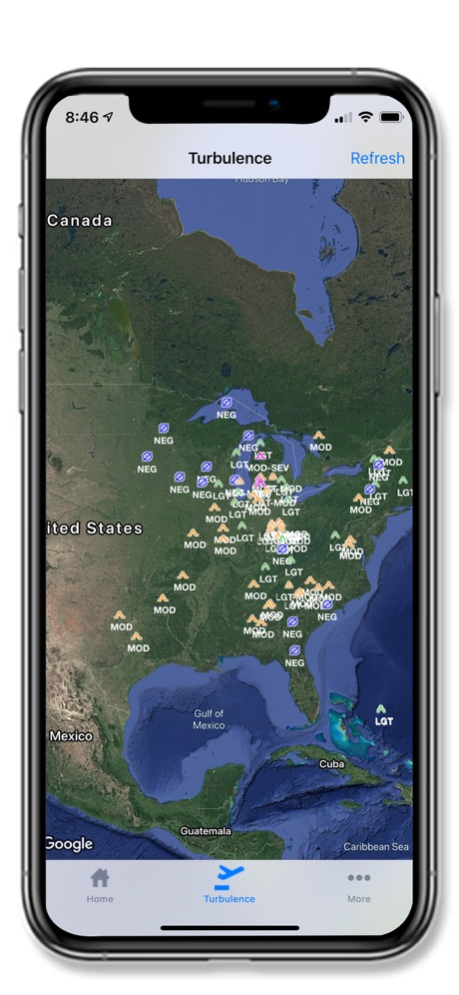
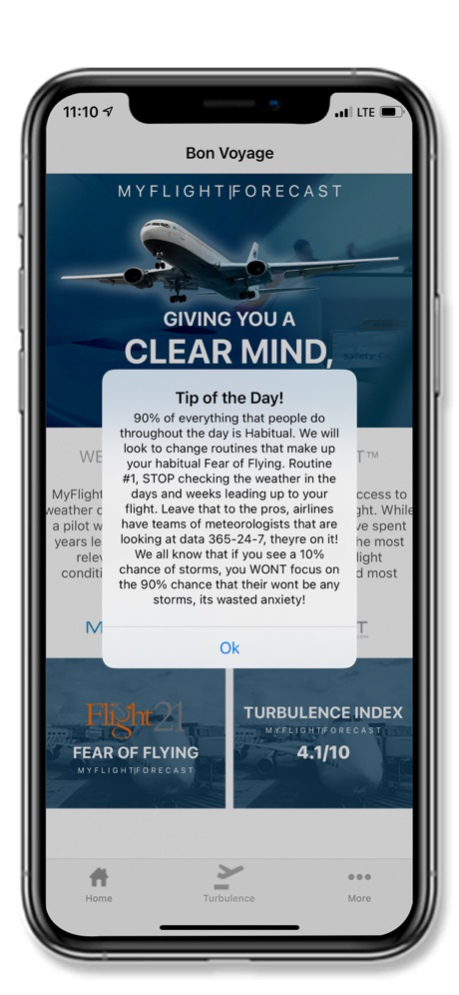

**Flight Forecast for Passengers, NOT Pilots**
MyFlight Forecast is your best personal weather app providing current weather conditions based on your flight. MyFlight Forecast does not only offer real-time weather information and forecasts but also comes with different features and information such as flight conditions, potential flight and airport delays and turbulence forecast.
We will let you know everything about where and when the next rain shower is located relative to your flight.
Why do you need to download and install MyFlight Forecast on your iPhone or iPad instead of other weather news and flight weather apps?
Nice and Easy:
- Very Easy Interface to use with High quality graphics designed to give you the best experience using our Weather news app.
- Detailed weather about your flight. We will take care of showing you information that the pilot receives, and the best thing is that we will simplify all of that information to let you read them easily and without complications.
Free:
- Our turbulence forecast app is FREE, there are No hidden fees, no special memberships and no annual subscription fees to stay up to date with the weather news and Rain Forecast.
Fast:
- We have designed our app to let you know about all expected weather very fast.
Flight details:
- MyFlight Forecast will not ony provide you with the expected weather, it will also provide you with airport delays and/or closures. We will also let you know about how many planes are airborne right now.
Fear of Flying:
- Fear of Flying Courses and Help available for the anxious traveler.
What are you waiting for? Download MyFlight Forecast now and receive all information about the expected weather during your next flight.
We are always striving to provide the best user experience for users. We are also looking for your feedback, suggestion or recommendation. Please, feel free to contact us at info@flyhomellc.com so we can continue to bring you the best experiences and updates.
Version History Bug fixes and enhancements. 3.3.7 09/28/2024 Bug fixes and enhancements. 3.3.6 09/27/2024 Bug fixes and improvements 3.3.5 07/29/2024 Bug fixes & Enhancements 3.3.4 07/26/2024 Minor bug fixes and improvements 3.3.3 06/25/2024 Minor bug fixes and improvements 3.3.2 06/25/2024 Minor bug fixes and improvements. 3.3.1 06/20/2024 Bug fixes and improvements. 3.3 06/19/2024 We continually bring you updates to improve the quality, speed, and reliability of My Flight Forecast. This version features a new look, enhanced flight route search, improved turbulence forecast accuracy, and several other new options, including Flight21 tips. 3.2 06/13/2024 Updated Design 3.0 11/24/2021 Updated Flight21 Navigational menu. 2.9 04/09/2021 Changed "Pre-Register" to "Register" on Flight21 2.8 03/31/2021 Notification badge will now be removed once the notification is read. Additionally, the verbiage on the Flight21 page has been changed. 2.7 03/24/2021 Flight21 Promotion. 2.6 03/18/2021 Minor enhancements and bug fixes. 2.5 03/10/2021 Minor enhancements. 2.4 03/05/2021 Addition of 3D Turbulence Forecast 2.3 02/27/2021 New and Improved Design and User Experience
Flight21 Fear of Flying Relief Program now available for users 2.2 02/19/2021 Bug Fixes! 2.1.4 06/20/2019 Bug fixes! 2.1.2 02/15/2019 Bug fixes! 2.1.1 10/01/2018 Bug Fixes! 2.1.0 09/30/2018 Bug fixes! 2.0.10 09/21/2018 Bug fixes! 2.0.9 08/17/2018 Bug fixes! 2.0.8 07/05/2018
About MyFlight Forecast
The company that develops MyFlight Forecast is FlyHome, LLC. The latest version released by its developer is 3.3.7.
To install MyFlight Forecast on your iOS device, just click the green Continue To App button above to start the installation process. The app is listed on our website since 2026-10-14 and was downloaded 2 times. We have already checked if the download link is safe, however for your own protection we recommend that you scan the downloaded app with your antivirus. Your antivirus may detect the MyFlight Forecast as malware if the download link is broken.
How to install MyFlight Forecast on your iOS device:
- Click on the Continue To App button on our website. This will redirect you to the App Store.
- Once the MyFlight Forecast is shown in the iTunes listing of your iOS device, you can start its download and installation. Tap on the GET button to the right of the app to start downloading it.
- If you are not logged-in the iOS appstore app, you'll be prompted for your your Apple ID and/or password.
- After MyFlight Forecast is downloaded, you'll see an INSTALL button to the right. Tap on it to start the actual installation of the iOS app.
- Once installation is finished you can tap on the OPEN button to start it. Its icon will also be added to your device home screen.
Program Details
System requirements
Download information
Pricing
Version History
version 3.3.7
posted on 2026-10-14
Version History Bug fixes and enhancements. 3.3.7 09/28/2024 Bug fixes and enhancements. 3.3.6 09/27/2024 Bug fixes and improvements 3.3.5 07/29/2024 Bug fixes & Enhancements 3.3.4 07/26/2024 Minor bug fixes and improvements 3.3.3 06/25/2024 Minor bug fixes and improvements 3.3.2 06/25/2024 Minor bug fixes and improvements. 3.3.1 06/20/2024 Bug fixes and improvements. 3.3 06/19/2024 We continually bring you updates to improve the quality, speed, and reliability of My Flight Forecast. This version features a new look, enhanced flight route search, improved turbulence forecast accuracy, and several other new options, including Flight21 tips. 3.2 06/13/2024 Updated Design 3.0 11/24/2021 Updated Flight21 Navigational menu. 2.9 04/09/2021 Changed "Pre-Register" to "Register" on Flight21 2.8 03/31/2021 Notification badge will now be removed once the notification is read. Additionally, the verbiage on the Flight21 page has been changed. 2.7 03/24/2021 Flight21 Promotion. 2.6 03/18/2021 Minor enhancements and bug fixes. 2.5 03/10/2021 Minor enhancements. 2.4 03/05/2021 Addition of 3D Turbulence Forecast 2.3 02/27/2021 New and Improved Design and User Experience
Flight21 Fear of Flying Relief Program now available for users 2.2 02/19/2021 Bug Fixes! 2.1.4 06/20/2019 Bug fixes! 2.1.2 02/15/2019 Bug fixes! 2.1.1 10/01/2018 Bug Fixes! 2.1.0 09/30/2018 Bug fixes! 2.0.10 09/21/2018 Bug fixes! 2.0.9 08/17/2018 Bug fixes! 2.0.8 07/05/2018
version 3.3.7
posted on 2024-09-28
Bug fixes and enhancements.
version 3.3.7
posted on 2024-09-28
Sep 28, 2024
Version 3.3.7
Bug fixes and enhancements.
version 3.0
posted on 2021-11-24
Nov 24, 2021 Version 3.0
Updated Design
